Technical SEO Audit: Cost, Process & Checklist


A website can have excellent content, attractive design, and valuable services but still struggle to rank on Google. Hidden technical problems, such as blocked pages, slow loading speeds, broken links, and incorrect indexing settings, can prevent search engines from accessing important content.
A technical SEO audit helps identify these problems and provides a structured plan to resolve them. It examines how search engines crawl, render, index, and understand your website while evaluating technical factors that affect user experience.
Whether you manage a small business website, an online store, or a growing company, understanding the technical SEO audit cost, process, and checklist can help you make informed optimization decisions.
This guide explains what a technical audit includes, how much it costs in 2026, how to perform one, and which technical improvements deserve priority.
Businesses looking to improve their overall search visibility can also explore our professional SEO services for a broader optimization strategy
What Is a Technical SEO Audit?
A technical SEO audit is a systematic examination of a website’s technical structure to identify issues that may prevent search engines from crawling, indexing, or understanding its pages. It evaluates website architecture, indexing settings, performance, mobile accessibility, structured data, and other technical elements affecting organic search visibility.
Unlike content optimization, which focuses on information quality and keyword relevance, technical SEO analysis examines whether the website functions properly for users and search engines.
What Does a Technical SEO Audit Include?
A comprehensive website technical SEO audit typically examines:
- Crawlability: Whether search engine bots can access important pages.
- Indexability: Whether eligible pages can appear in search results.
- Website architecture: How pages connect through navigation and internal links.
- Page performance: How quickly pages load and respond to visitors.
- Mobile compatibility: Whether website content works correctly on mobile devices.
- HTTPS security: Whether pages use secure connections.
- Canonicalization: Whether duplicate URLs send consistent indexing signals.
- Structured data: Whether search engines can interpret supported page information.
- JavaScript rendering: Whether essential content and links are accessible after rendering.
An effective audit identifies both the problem and its potential impact, then recommends practical corrective actions.
Technical SEO Audit vs. Full SEO Audit
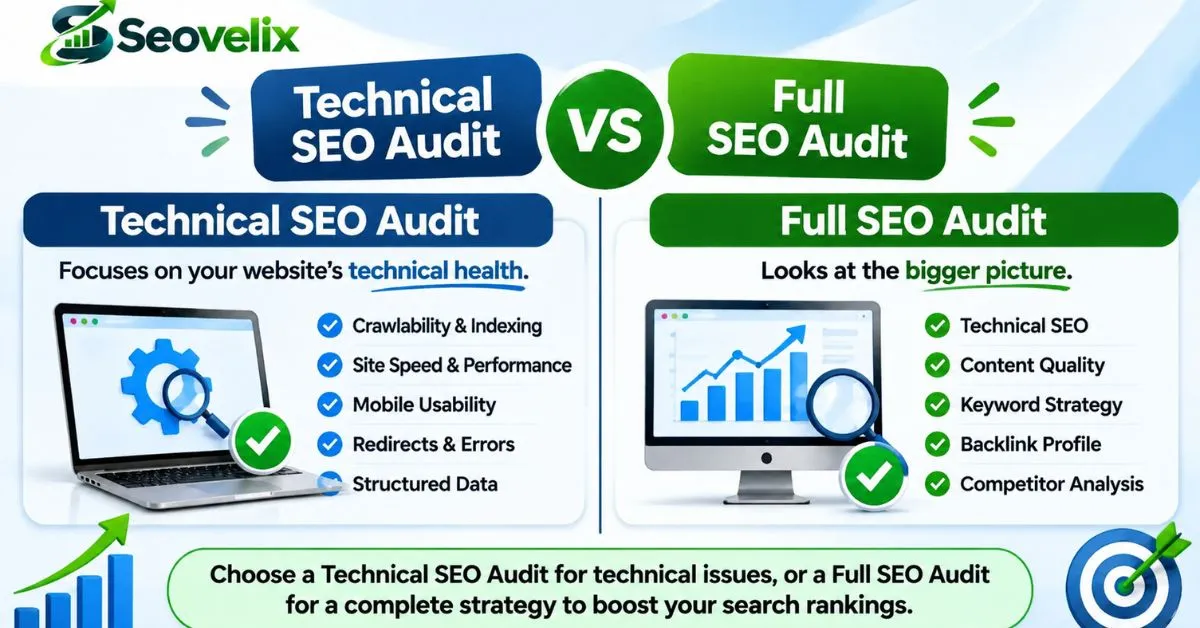
A technical audit focuses on website infrastructure, while a full SEO audit examines the broader factors influencing organic search performance.
| Technical SEO Audit | Full SEO Audit |
| Crawlability and indexing | Technical SEO and website structure |
| Website speed and Core Web Vitals | Content quality and keyword targeting |
| Redirects and canonical tags | Backlink profile and authority |
| Mobile rendering and accessibility | Competitor and content gap analysis |
| Structured data validation | Broader organic search strategy |
Businesses experiencing indexing errors or technical performance problems may begin with a technical audit before investing in wider SEO campaigns.
Why Is a Technical SEO Audit Important?
A technical audit identifies obstacles that may prevent valuable website pages from reaching their intended audience.
For example, an online store might accidentally block important product categories through its robots.txt file. A service website might create duplicate URLs, while a JavaScript-heavy website might make essential content difficult for search engines to discover.
Without regular auditing, these problems can remain unnoticed.
Common Signs Your Website Needs an Audit
Consider conducting an audit when you notice:
- Unexpected declines in organic search traffic.
- Important pages missing from Google’s index.
- Slow loading times or poor mobile performance.
- Broken internal links and excessive redirects.
- Duplicate content appearing under different URLs.
- Technical errors after a redesign or website migration.
- Search Console warnings affecting important pages.
A technical SEO audit for website performance can also reveal unnecessary scripts, oversized images, and unstable layouts that frustrate visitors.
Can a Technical SEO Audit Improve Rankings?
Yes, correcting issues identified through an audit can improve a website’s ability to participate in organic search.
However, an audit itself does not automatically increase rankings. Results depend on the problems discovered, the quality of implemented fixes, content relevance, competition, and other ranking factors.
The greatest benefit comes from identifying critical issues and resolving them systematically.
How Much Does a Technical SEO Audit Cost in 2026?
Before choosing a service provider, compare different SEO services pricing options to understand which package fits your website requirements and budget
In the United States, a professional technical SEO audit commonly costs approximately $500 to $2,500 for smaller websites, while larger or more complex projects may cost several thousand dollars or more.
Published agency estimates vary significantly because providers offer different audit depths, reporting methods, and implementation support.
If you operate an online store, our eCommerce SEO pricing guide explains the costs associated with optimizing larger product catalogs.
Technical SEO Audit Pricing by Website Size
The following ranges are illustrative planning estimates, not fixed industry rates or Seovelix quotations.
| Website Type | Estimated Audit Cost | Typical Scope |
| Small business website | 500–2,500 | Basic crawling, indexing, performance, and technical checks |
| Mid-sized business website | 2,500–7,500 | Deeper architecture, redirects, structured data, and performance analysis |
| Large eCommerce or enterprise website | 7,500–15,000+ | Extensive crawling, rendering, complex URL patterns, and technical investigation |
What Factors Affect Technical SEO Audit Pricing?
Several factors influence the final cost.
Website size: A website containing 50 pages generally requires less investigation than an eCommerce platform containing thousands of product and category URLs.
Technical complexity: JavaScript rendering, international SEO, faceted navigation, and multiple website versions require specialized analysis.
Audit depth: A basic automated report costs less than a specialist-led audit involving manual verification and detailed recommendations.
Deliverables: Pricing may include a written report, implementation roadmap, consultation, developer instructions, or follow-up validation.
Implementation support: Many providers charge separately for correcting identified problems.
Request a clearly defined scope before purchasing an audit so you understand exactly what the quoted price covers.
Free vs. Paid Technical SEO Audits
Free tools are useful for identifying common technical errors. Google Search Console can reveal indexing problems, while Page Speed Insights provides performance diagnostics.
However, automated tools cannot always explain why an issue matters or how it should be prioritized.
Professional technical SEO audit services combine automated findings with manual investigation, business context, and recommendations.
For a simple website, free tools may provide enough information to resolve minor problems. Larger websites typically benefit from deeper analysis.
Is a Professional Technical SEO Audit Worth the Cost?
A professional audit can be worthwhile when technical problems affect valuable pages, leads, or online sales.
For example, discovering that important service pages cannot be indexed may be more valuable than making minor performance improvements to pages receiving little traffic.
The decision should depend on potential business impact, internal technical expertise, and the cost of fixing the issues.
How to Perform a Technical SEO Audit: Step-by-Step Process
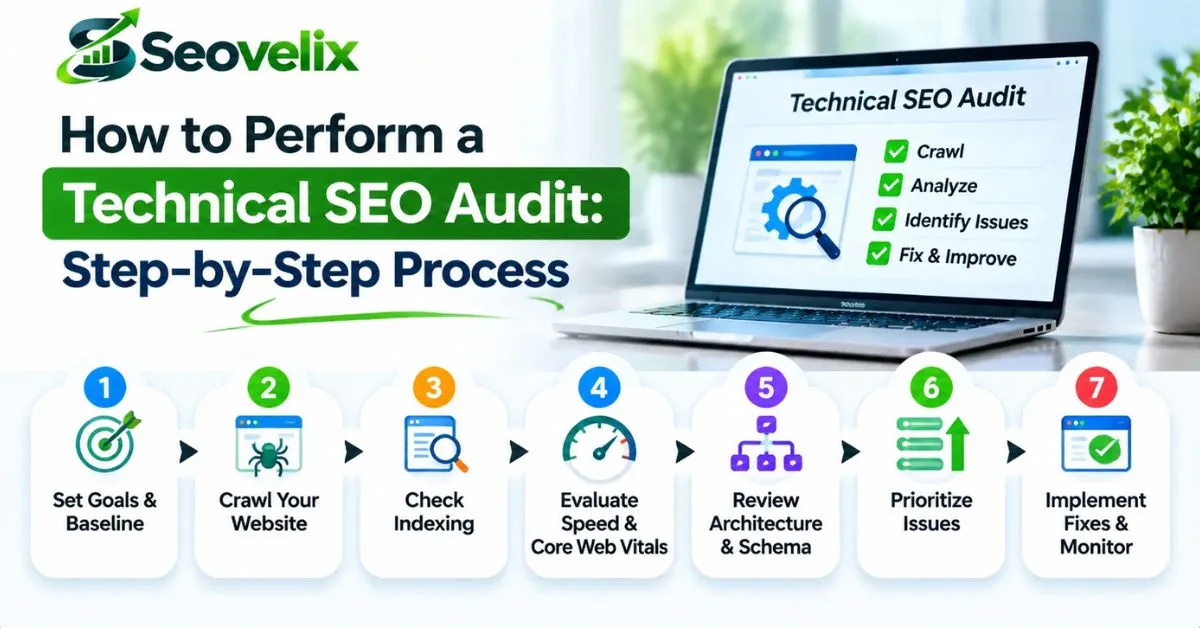
Understanding how to perform a technical SEO audit helps business owners evaluate their websites and communicate effectively with SEO professionals.
A reliable audit follows seven steps.
Step 1: Set Audit Goals and Establish a Baseline
Start by identifying your website’s most important pages and measurable business goals.
Use Google Search Console and analytics data to review organic traffic, search impressions, indexed pages, and conversions.
Record existing performance before making changes. This baseline helps evaluate future improvements.
Step 2: Crawl Your Website
Use a website crawler such as Screaming Frog SEO Spider, Semrush Site Audit, or Ahrefs Site Audit.
Review the crawl results for broken links, redirects, duplicate URLs, missing metadata, and inaccessible pages.
Pay particular attention to business-critical URLs and website sections containing numerous similar pages.
Remember that a crawler generally discovers pages through accessible links and supplied URL lists. It may not automatically identify every orphan page.
Step 3: Check Indexing and Crawl Accessibility
Open Google Search Console and review the Page Indexing report.
Look for unexpected exclusions, blocked resources, incorrect noindex directives, and indexing errors.
Inspect important URLs individually to understand how Google sees them.
Also review XML sitemaps and robots.txt rules. Ensure that your sitemap contains the preferred, indexable versions of important pages.
Step 4: Evaluate Website Speed and Core Web Vitals
Run representative pages through Google PageSpeed Insights.
Review loading performance, responsiveness, and visual stability on desktop and mobile devices.
Investigate oversized images, unnecessary JavaScript, render-blocking resources, and inefficient server responses.
Prioritize improvements that affect important templates or large groups of pages.
Step 5: Review Website Architecture and Structured Data
Examine navigation, internal links, canonical tags, mobile rendering, and structured data.
Important pages should be reachable through logical navigation paths.
Check whether JavaScript-generated content is available in rendered HTML and whether structured data accurately represents the visible page.
Step 6: Prioritize Technical SEO Issues
Not every technical problem deserves immediate attention.
Group findings by severity, affected pages, expected business impact, and implementation effort.
A sitewide indexing problem usually requires more urgent attention than a minor warning affecting one low-value page.
Create a practical action plan with responsibilities and validation methods.
Step 7: Implement Fixes and Monitor Results
After developers or SEO specialists implement recommendations, retest the affected pages.
Verify that redirects work, canonical tags are correct, indexing directives behave as intended, and technical errors are resolved.
Continue monitoring Google Search Console and analytics data. Search engines may need additional time to crawl and process changes.
Complete Technical SEO Audit Checklist
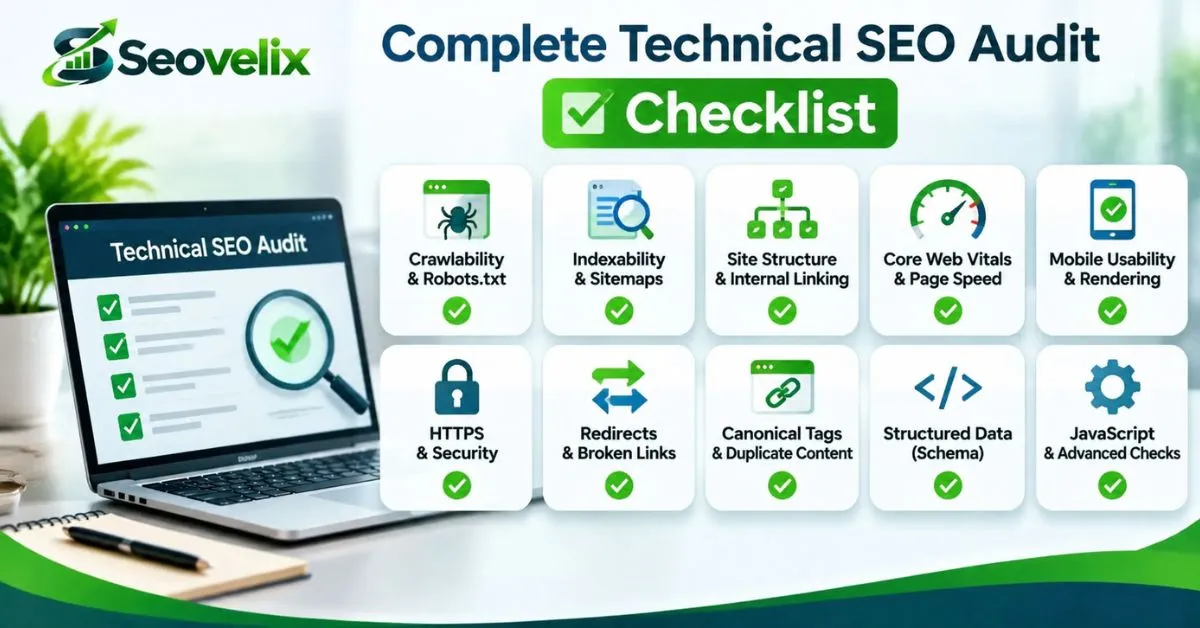
A useful technical SEO audit checklist should identify problems, explain their significance, and guide corrective action.
For online stores, technical checks should also cover product pages, category structures, and indexing. Explore our eCommerce SEO services for more information.
The following checklist covers essential technical areas.
1. Crawlability and Robots.txt Audit
Crawlability determines whether search engines can discover and access website content.
Check that important pages are not unintentionally blocked through robots.txt rules.
Review server responses, internal linking, crawl traps, and unnecessary URL variations.
Blocking a URL through robots.txt does not guarantee that Google will remove it from search results. Use appropriate indexing controls when removal from the index is required.
2. Indexability and XML Sitemap Audit
Indexability determines whether a page can be included in a search engine’s index.
Review noindex directives, canonical tags, HTTP status codes, and indexing exclusions.
Check that XML sitemaps contain preferred URLs returning successful responses.
A page being included in a sitemap does not guarantee indexing. Its content, accessibility, and other signals still matter.
3. Website Architecture and Internal Linking Audit
A clear website structure helps visitors and search engines navigate content.
Check whether important pages receive relevant internal links, whether navigation paths make sense, and whether broken links interrupt access.
Identify orphan pages by comparing crawl data with sitemaps, analytics records, and other available URL sources.
Use descriptive anchor text that communicates the linked page’s subject naturally.
4. Core Web Vitals and Page Speed Audit
Google’s Core Web Vitals evaluate important aspects of user experience.
| Metric | What It Measures | Good Threshold |
| Largest Contentful Paint (LCP) | Main content loading performance | 2.5 seconds or less |
| Interaction to Next Paint (INP) | Responsiveness to user interactions | 200 milliseconds or less |
| Cumulative Layout Shift (CLS) | Visual stability | 0.1 or less |
These thresholds are evaluated using real-user measurements at the 75th percentile when sufficient field data is available.
Common improvements include image optimization, more efficient JavaScript, caching, and reserving space for images or other dynamic elements.
See Google’s Core Web Vitals documentation for technical guidance.
5. Mobile Usability and Rendering Audit
Google primarily uses the mobile version of website content for indexing.
Check whether important content, headings, structured data, and internal links remain available on mobile devices.
Review responsive layouts, readable text, navigation elements, and interactive features.
Use browser developer tools and actual mobile testing to identify display or interaction problems.
6. HTTPS, Redirects, and Broken Links Audit
Verify that important pages use HTTPS and avoid unnecessary insecure resources.
Check internal links for 404 errors and server failures.
Review redirect chains and ensure permanent URL changes use suitable permanent redirects.
Update internal links to point directly to preferred destination URLs whenever practical.
7. Canonical Tags and Duplicate Content Audit
Duplicate URL variations can create uncertainty about which page should appear in search results.
Review canonical tags, internal links, sitemap URLs, and redirects for consistency.
Where appropriate, use self-referencing canonical tags on preferred pages.
Remember that canonical tags are signals rather than absolute instructions. Search engines may select another canonical URL.
8. Structured Data and Schema Markup Audit
Structured data helps search engines interpret certain types of page information.
Validate relevant markup using Google’s Rich Results Test or Schema Markup Validator.
Check that structured data matches visible content and follows applicable search feature requirements.
Adding schema does not guarantee enhanced search appearances or higher rankings.
9. JavaScript SEO Audit
Websites relying heavily on JavaScript may require additional rendering checks.
Inspect rendered HTML to confirm important content, navigation links, and page information remain accessible.
Review whether essential resources are blocked or scripts fail during rendering.
Where appropriate, server-side rendering or prerendering can simplify content accessibility.
10. International and eCommerce SEO Checks
International websites may need hreflang validation and consistent language or regional URL structures.
eCommerce websites require additional attention to product variants, filters, pagination, and parameterized URLs.
Review whether these features create unnecessary duplicate pages or prevent important products from being discovered.
Quick Technical SEO Audit Checklist for Better Rankings
| Audit Check | Recommended Action | Priority |
| Important pages blocked | Correct unintended crawl restrictions | Critical |
| Valuable pages not indexed | Investigate indexing signals and errors | High |
| Broken important internal links | Repair links or destinations | High |
| Incorrect canonical tags | Align canonical signals | High |
| Poor Core Web Vitals | Identify and fix underlying causes | Medium–High |
| Excessive redirects | Simplify redirect paths | Medium |
| Missing relevant schema | Add valid, applicable markup | Medium |
| Minor metadata warnings | Review based on page importance | Low–Medium |
These priorities are general examples. Actual severity depends on the number and value of affected pages.
Best Technical SEO Audit Tools
Choosing suitable technical SEO audit tools makes identifying and validating website problems easier.
Free Technical SEO Audit Tools
Google Search Console: Helps investigate indexing, search performance, crawl-related reporting, and Core Web Vitals.
Google PageSpeed Insights: Provides performance measurements and improvement recommendations.
Google Lighthouse: Audits performance, accessibility, and other page quality characteristics.
Google Rich Results Test: Checks eligibility-related structured data implementation for supported rich results.
Paid Technical SEO Audit Tools
Screaming Frog SEO Spider: Useful for detailed website crawling, technical URL analysis, and investigating site architecture.
Semrush Site Audit: Provides automated technical checks, issue reporting, and ongoing website monitoring.
Ahrefs Site Audit: Helps identify technical problems, evaluate website health, and track changes across crawls.
No single tool identifies every issue. Professionals frequently combine several tools with manual checks to investigate complex technical problems.
How to Prioritize and Fix Technical SEO Issues
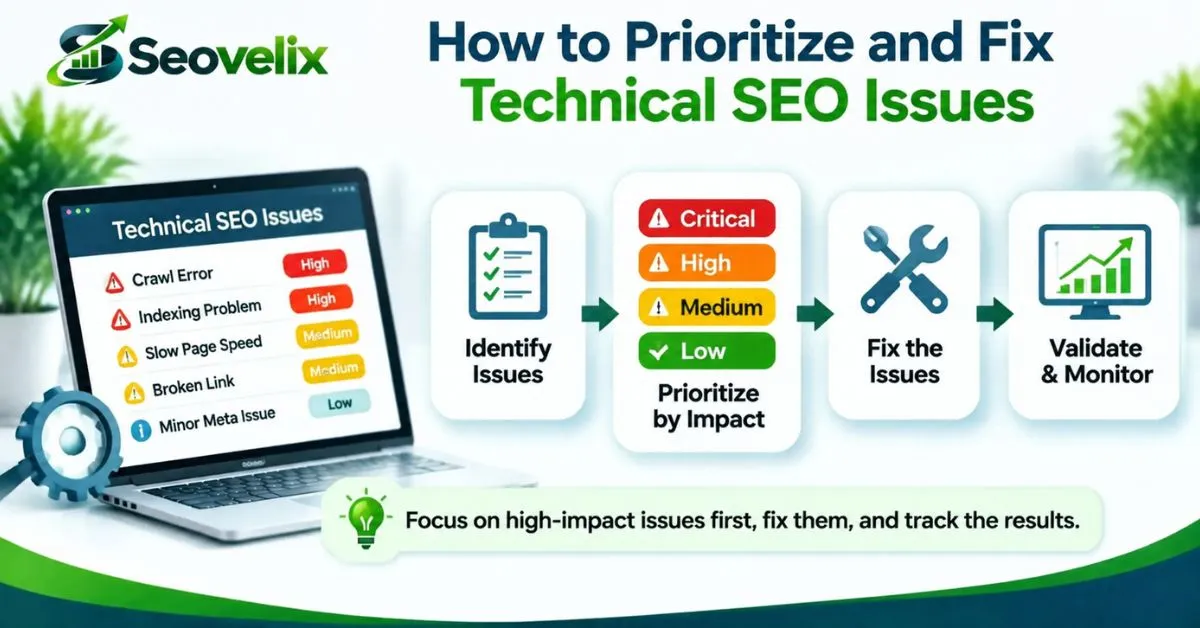
Knowing how to fix technical SEO issues on a website requires more than following automated tool recommendations.
The right approach is to connect each finding with its actual impact on crawling, indexing, user experience, or business performance.
Critical, High, Medium, and Low-Priority Issues
Critical issues prevent essential pages or entire website sections from being crawled or indexed.
High-priority issues significantly affect valuable pages, such as widespread canonical errors or serious internal linking problems.
Medium-priority issues affect performance or technical efficiency without creating immediate sitewide barriers.
Low-priority issues have limited impact and can be addressed during routine maintenance.
Example Technical SEO Audit Report
Consider a hypothetical service website with several important pages missing from Google.
| Finding | Potential Impact | Recommended Fix |
| Service pages contain noindex tags | Prevents indexing | Remove unintended noindex directives |
| Product images load slowly | Hurts loading experience | Compress images and use suitable formats |
| Internal links return 404 errors | Interrupts navigation | Repair links or restore destinations |
| Canonical tags reference outdated URLs | Confuses preferred URL signals | Update canonical tags |
This illustrative report demonstrates how technical SEO issues and solutions should be documented with clear actions.
How to Measure Results After an Audit
Track changes in indexing status, technical errors, search impressions, organic clicks, Core Web Vitals, and conversions.
Compare performance against the baseline established before implementation.
Keep in mind that ranking changes may result from multiple factors. Improvements should be evaluated using appropriate time periods and supporting evidence.
Technical SEO Audits for AI Search Visibility
AI-powered search experiences, including Google AI Overviews, Gemini, ChatGPT, and Perplexity, create additional opportunities for websites to be discovered.
However, technical accessibility and useful content remain important foundations.
How Technical SEO Supports Google AI Overviews
Google states that a page must be indexed and eligible to appear in Search with a snippet to qualify as a supporting link in AI Overviews or AI Mode.
Therefore, problems with indexing, crawl accessibility, or page eligibility can limit visibility in these features.
Technical SEO helps address those foundational barriers, although it does not guarantee inclusion.
Technical Checks for AI-Powered Search Platforms
Review whether important content is publicly accessible, rendered correctly, and organized using meaningful HTML headings.
Check relevant bot-access settings and ensure that essential information is not hidden behind authentication or inaccessible scripts.
Publish accurate, original information with clear authorship and supporting references.
Different AI platforms use different discovery and retrieval systems, so optimization results may vary.
Does Schema Markup Guarantee AI Citations?
No. Structured data cannot guarantee that ChatGPT, Gemini, Perplexity, or Google AI Overviews will cite a particular page.
Valid markup can help communicate supported information, but useful content, accessibility, source quality, and platform-specific systems also influence visibility.
Google recommends following its established search practices when preparing websites for generative AI features.
DIY vs. Hiring a Technical SEO Audit Specialist
A DIY audit may be sufficient for a small website with straightforward technical requirements.
However, complex technical problems often require specialist knowledge and development experience.
When Can You Audit Your Website Yourself?
Business owners can perform basic checks using Google Search Console, PageSpeed Insights, and free crawling tools.
These tools can reveal broken links, page indexing concerns, and performance issues.
For straightforward problems, documenting findings and implementing validated fixes may be manageable without an agency.
When Should You Hire a Technical SEO Expert?
Professional help becomes valuable when:
- Important pages consistently fail to index.
- A website experiences technical problems after migration.
- Large eCommerce catalogs generate duplicate URLs.
- JavaScript rendering prevents content discovery.
- Internal teams lack technical SEO experience.
The best technical SEO audit services for small businesses should explain findings clearly, prioritize business-critical issues, and provide recommendations that can actually be implemented.
How to Choose a Technical SEO Audit Company
When evaluating providers, review their methodology, experience, reporting quality, and communication.
Ask whether the audit includes manual verification, prioritized recommendations, and post-implementation testing.
A reliable technical SEO audit agency for growing businesses should also explain which tasks require developers and which improvements can be handled through the content management system.
If you are wondering who provides affordable technical SEO audit services, compare the scope and quality of several proposals instead of choosing solely by price.
The right provider should deliver actionable insights rather than simply exporting an automated checklist.
What Should a Professional Audit Deliver?

Professional SEO website audit services should provide a documented technical assessment, evidence of significant issues, recommended solutions, implementation priorities, and validation instructions.
At Seovelix, businesses can explore SEO solutions that include technical website auditing and optimization support.
For service options and pricing information, visit the Seovelix pricing page.
Frequently Asked Questions About Technical SEO Audits
How Long Does a Technical SEO Audit Take?
A small website audit may take a few days, while a complex eCommerce or enterprise audit can require several weeks. The timeline depends on website size, technical complexity, and the depth of manual investigation.
How Often Should You Conduct a Technical SEO Audit?
For many business websites, conducting a comprehensive technical audit every three to six months is a reasonable starting point. Additional audits are useful after website migrations, major redesigns, indexing problems, or significant traffic changes. Large websites may need more frequent monitoring.
Can I Do a Technical SEO Audit for Free?
Yes. Google Search Console, PageSpeed Insights, Lighthouse, and other free tools can identify common technical issues. However, complex investigations may require specialized expertise or paid crawling software.
What Is the Difference Between a Technical SEO Audit and an SEO Audit?
A technical SEO audit focuses on infrastructure, crawling, indexing, rendering, and performance. A full SEO audit also examines content quality, keyword strategy, backlinks, competitors, and other organic search factors.
Does a Technical SEO Audit Fix Problems Automatically?
No. An audit identifies problems and recommends solutions. Developers, SEO specialists, or website administrators must implement and verify the necessary changes.
Can Technical SEO Improve Visibility in AI Search Results?
Technical improvements can help make content accessible and eligible for discovery across relevant search systems. However, visibility in AI-generated answers depends on additional factors, and no technical fix guarantees citations.
Conclusion: Start Improving Your Website’s Technical SEO
A successful technical SEO audit goes beyond identifying website errors. It reveals barriers affecting search engine accessibility, website performance, and user experience while providing a practical roadmap for improvement.
Understanding the audit process, estimated costs, and essential technical SEO audit best practices helps businesses allocate resources more effectively.
Start by reviewing crawlability, indexing, website architecture, and Core Web Vitals. Prioritize issues affecting important pages and verify every implemented fix.
If your business needs deeper technical investigation, professional support can help turn complex findings into manageable improvements.
Need a professional technical SEO audit? Explore Seovelix’s SEO services to discuss your website’s technical requirements and optimization opportunities.